
Introduction to DM CareerIQ: Administrative Assistant Training Simulator
Have you ever thought about what administrative assistants do on a daily basis? Behind closed doors, admin assistants are the backbone of corporate life. By balancing the management of scheduling, document sorting, communication, and support, it ensures that the day to day operations run smoothly. With the help of DM CareerIQ: Administrative Assistant Training Simulator, users will practice administrative skills in realistic office spaces from using scenario-based learning with AI. Throughout the simulator, users must complete tasks while interacting with AI clients and coworkers and receive overall feedback on their performance when finished. The principal steps in this program are: 1) Login and Profile Setup 2) Induction and Tutorial 3) Shift Begins (8 AM) 4) Work Scenario Generator 5) Task Assignment and Management 6) AI Client and Coworker Interactions 7) Decision Making and Communication 8) Shift Ends (6 PM) 9) Performance Evaluation 10) Feedback Report
Overview of DM CareerIQ
DM CareerIQ is a desktop training software. Its purpose is to show the responsibility of an administrative assistant while gaining organizational, problem-solving, and communication skills. The intended audience would be students, recent graduates, teachers, office employees, executives, and people who are interested in office-based jobs. There are a lot of key features that make up the entire program, they are listed: scenario generator, interactive client and coworkers, task management, email system, scheduling module, organization training, note-taking/document recording, performance evaluation system, feedback reports, and an optional overtime feature.
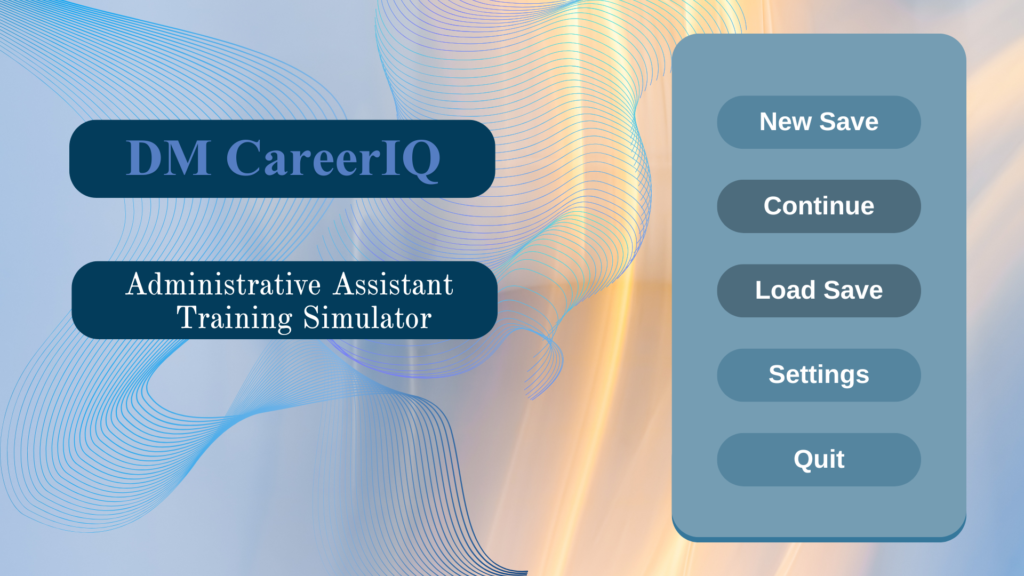
Figure 1: Starting Menu
User Interface and Components
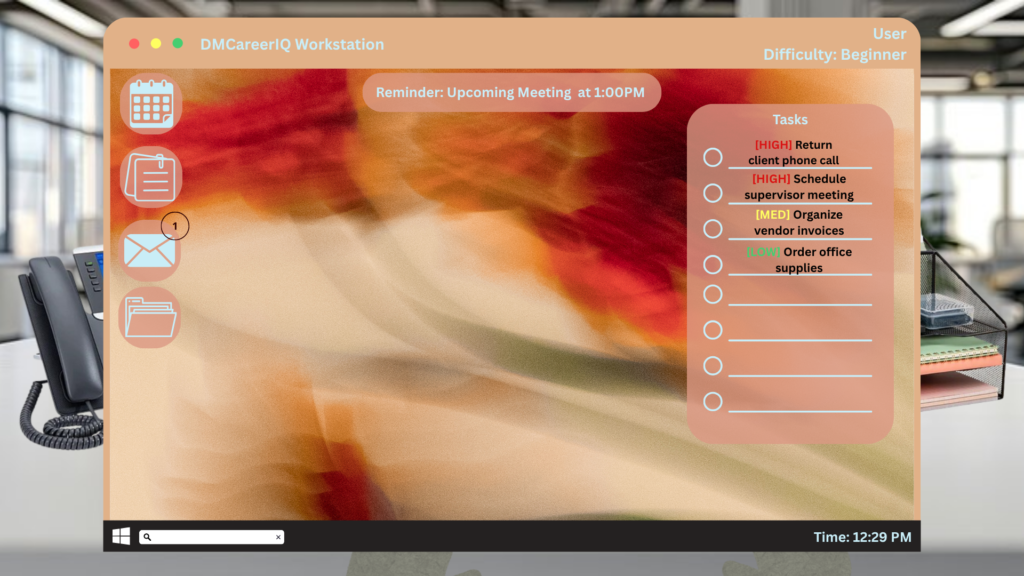
Dashboard
Function: The main workspace where users are able to view their tasks, emails, schedules, notes, and performance evaluations.
Description: The dashboard is presented after the user login, profile setup, and the tutorial completion. It gives access to all the key features of the simulator and allows users to track their progress throughout their shift.
Figure 2: User Login
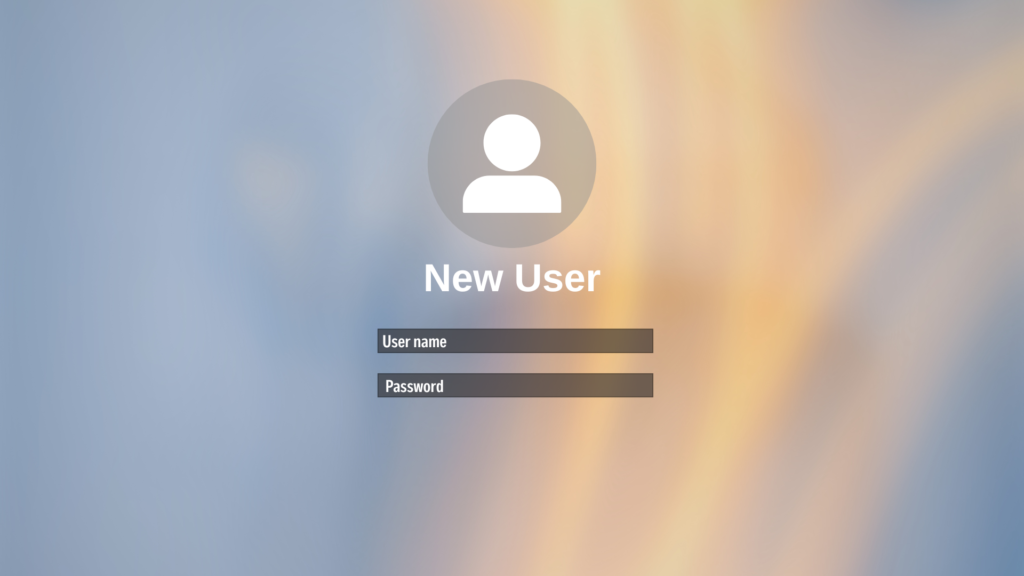
Figure 3: Induction and Tutorial
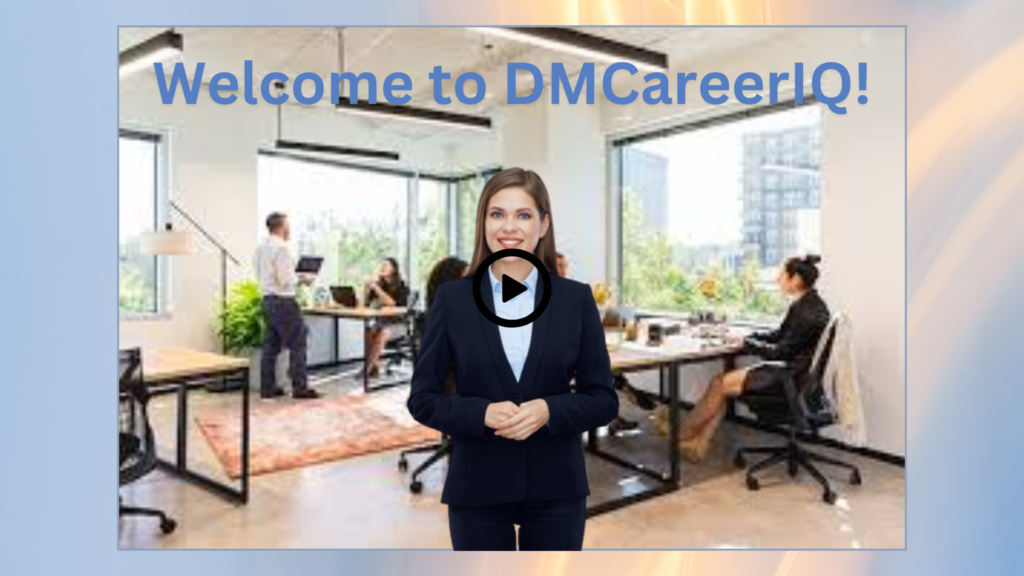
Figure 4: Dashboard
Task Management System
Function: It helps users organize and complete work tasks.
Description: The task management system will show the daily tasks, deadlines, and urgency status. Users are also able to track their finished tasks and manage their assignments throughout their shift.
Email System
Function: Users are able to send, receive, and manage their communication skills.
Description: The email system generates messages from clients, coworkers, and supervisors. Users are required to respond professionally and with efficiency.
Scheduling Module
Function: Manages meetings, appointments, and any important calendar dates.
Description: The scheduling module allows users to organize meetings, solve any scheduling conflicts, and maintain a structured calendar.
Phone System
Function: Permits users to receive and make professional phone calls.
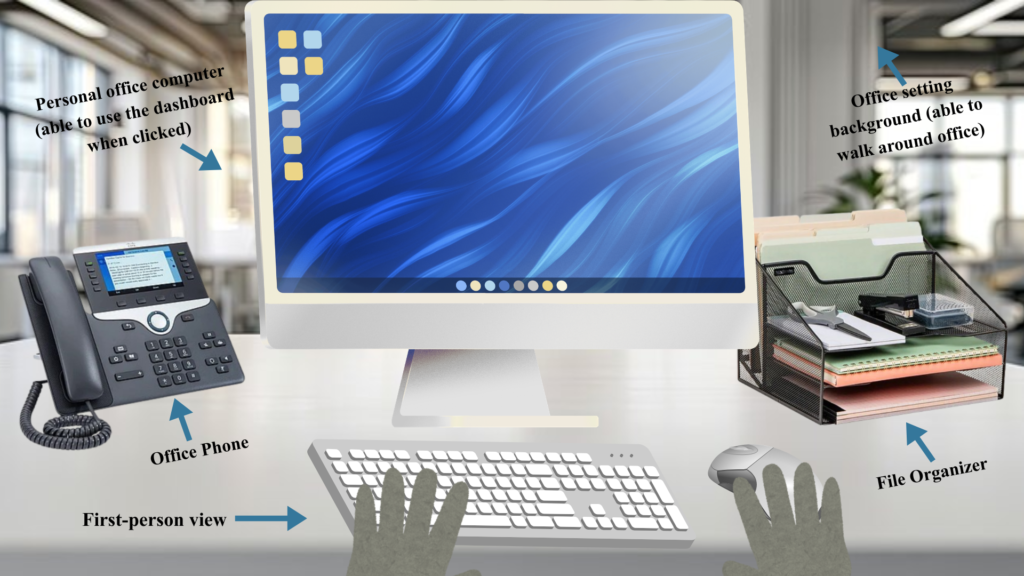
Description: The phone system allows users to answer any incoming calls from clients, supervisors, and coworkers as well as make outgoing calls to confirm any appointments, gather data, and respond to office inquiries.
Figure 5: User’s View At Desk
Organization Training
Function: Develops sorting, organizational, and record-keeping skills.
Description: The organization training allows users to organize physical and digital files, maintain records, track/order/sort supplies, and complete admin tasks that support the workplace environment.
Note-Taking System
Function: Records important data from meetings, assignments, and conversations.
Description: Users will produce and manage notes that will help complete tasks and recall important work knowledge.
*Key Notes:
-Users are able to exit out the dashboard from the simulator’s computer, and walk around the office to perform hands-on tasks such as phone calls, in-person meetings, restocking office and snack items, organizing supply rooms, processing any physical mail, and running errands for supervisors.
AI System / Framework
Scenario Generator
Function: Generates realistic work scenarios and tasks.
Description: The work scenario generator produces assignments, scheduling conflicts, client inquiries, and office problems.
AI Clients and Coworker Interactions
Function: Produces realistic office communication for users.
Description: The AI interaction system creates virtual clients, coworkers, and supervisors that communicate with users through messages, emails, phone calls, and office inquiries. The interactions help users refine communication, problem-solving, and customer service skills.
Voice and Text Integration
Function: Users communicates smoothly with AI-generated characters
Description: Users interact with virtual clients and coworkers through voice recognition or typed messages. The system assesses communication and uses the data to continue the conversation and analyzes your performance.
Performance Evaluation and Feedback
Point System
Function: Calculates the user’s entire performance throughout their shift.
Description: The point system scores based on communication, organization, note-taking accuracy, scheduling accuracy, task completion, time management, and professionalism.
Progress Tracking
Function: Observes the user’s skill growth over time.
Description: Progress tracking logs completed training periods, performance, and areas for improvement. Overall, allowing users to monitor their growth as they go through the simulator.
Feedback Reports
Function: Gives users customized performance assessments at the end of each shift.
Description: Once the shift ends, the system will create a report summary of the user’s performance. The report features your strengths, mistakes, and offers advice for potential improvements.
*Key Notes:
-Users will see a feedback report pop up on their screen that grades their efficiency, time management skills, overall scores when it comes to completing tasks by the end of their shift
Optional Overtime Feature
Function: Users are able to continue working after their shift ends to complete unfinished work, gain more experience, and improve their performance scores.
Description: At the end of their shift, users are allowed to choose to end their shift or continue working. During the overtime period, users complete any uncompleted tasks, respond to unread emails, finish any organization tasks, and sort any office inquiries.
*Key Notes:
-Users who constantly need overtime will affect their efficiency and time management scores, they will receive recommendations for improvement once finished. While users who complete all tasks at 6PM will receive elevated efficiency scores.
Principle Steps of the Training Process
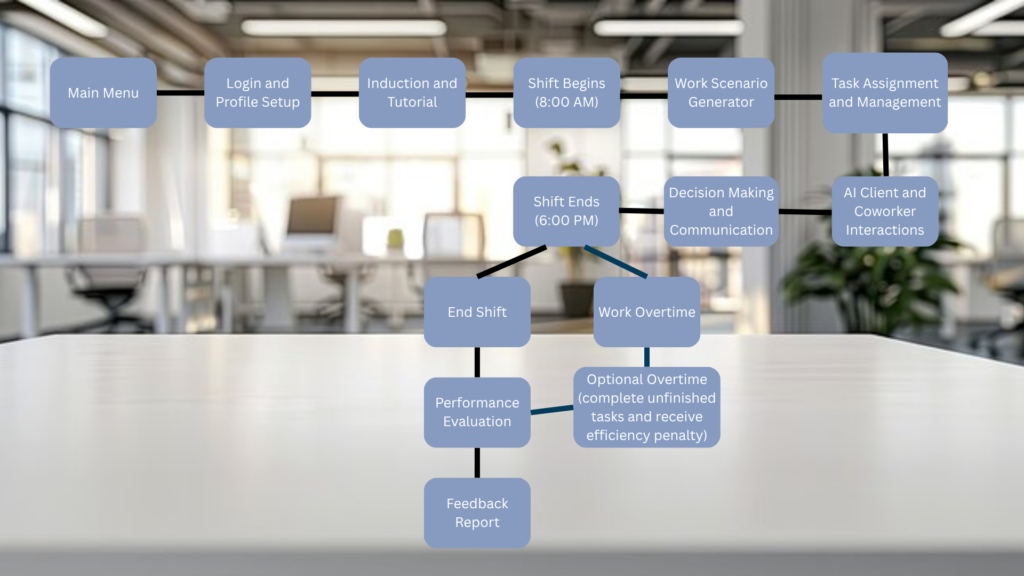
1) Login and Profile Setup: Choose a name, Select a profile image/avatar, Choose a difficulty level (beginner, intermediate, advanced). Their office ID card is created.
2) Induction and Tutorial: An orientation video is prompted on the screen, congratulating the user on their new job. The tutorial for features begins.
3) Shift Begins (8 AM): Once the tutorial finishes, the user begins their shift. They are required to claim their desk which is indicated by a floating red arrow.
4) Work Scenario Generator: The work scenario generator creates work-based scenarios, client inquiries, and challenges through an AI system.
5) Task Assignment and Management: User’s tasks are organized and simply end via the dashboard. Shown via the dashboard popup
6) AI Client and Coworker Interactions: Users are able to communicate with clients, coworkers, and supervisors through an AI-based system.
7) Decision Making and Communication: Users must complete tasks, respond to emails, schedule appointments, answer phone calls, organize files and supplies.
8) Shift Ends (6 PM): The shift ends and the user is given a choice: end shift or work overtime. If the user chooses to end the shift, a performance evaluation occurs and the feedback report.
9) Optional Overtime: If the user chooses to work overtime, they must finish any incomplete tasks. But they will be penalized in the feedback report.
10) Performance Evaluation: The system evaluates the user’s performance and gives a score
11) Feedback Report: A report is then prompted on the screen and it summarizes the user’s strengths, weaknesses, and advice for future improvements.room for improvement.
Figure 6: Flowchart
Conclusion
To conclude, DM CareerIQ will be similar to a simulation game to allow users to feel enjoyment while gaining skills needed for office settings. Through key features such as task management, email system, scheduling module, organization training, note-taking/document recording, and performance evaluation, the simulator will give hands-on training in a digital space. DM CareerIQ will offer affordability and accessibility to help students, recent graduates, and active applicants gain important administrative background before they enter into the corporate life.

This entry is licensed under a Creative Commons Attribution-NonCommercial-ShareAlike 4.0 International license.

